Live translation
Live translation lets you talk to a caller who speaks another language, and read team chat messages in your own language. It works between the nine MonoPbx languages: English, German, Spanish (Mexico), French, Italian, Japanese, Portuguese (Brazil), Russian and Simplified Chinese.
Translation uses your company's own AI model, with your company's provider key. An administrator turns on Live assist (company setting) in Admin > AI before you can use it. The original words are always kept: every translation is shown next to the text as it was spoken or written, and the stored transcript is never changed.
Subtitles during a call
- Open Assist.
- In Live subtitles, pick the language the caller speaks and the language you read.
- Follow your call as usual.
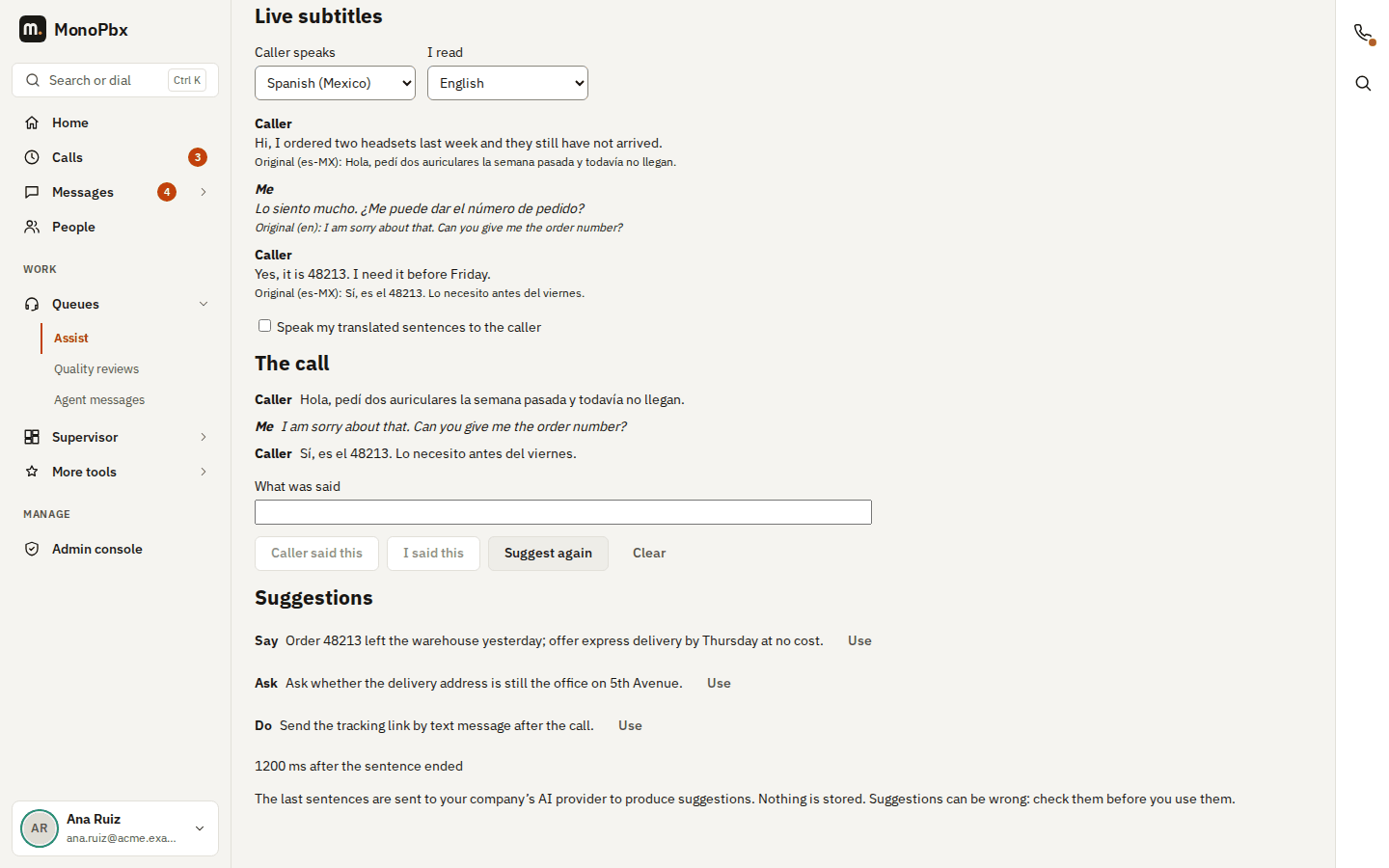
After each sentence you see the translation and, below it, the original words. If a translation fails, the original is still shown with a note, and the call goes on.
Translated chat messages
The team chat API returns the messages that others wrote in your language: GET /api/v1/chat/rooms/{id}/translations?to=de. Each message comes back with its original. Your own messages are not translated, and nothing is stored.
A call transcript in your language
When a call has a finished transcript, an administrator or anyone who may read recordings company-wide can read it in their own language: GET /api/v1/cdr/{id}/transcript?lang=de. Every phrase comes back next to the words as spoken. Each language is translated once per transcript and kept, so the next reader in that language gets it at once. If the call is transcribed again, the next read translates it again. A phrase that could not be translated keeps its original and says why.
Translating a text
POST /api/v1/ai/translate with {"text": "...", "to": "en"} translates one text of up to 2000 characters and returns the original next to the translation.
Privacy
Translated texts are sent only to your company's AI provider. MonoPbx does not log or store them.