Home
Home is the first page after you sign in. It answers one question: what needs you now? Everything on it is yours (your calls, your voicemail, your chats); company figures are on the administrators' overview.
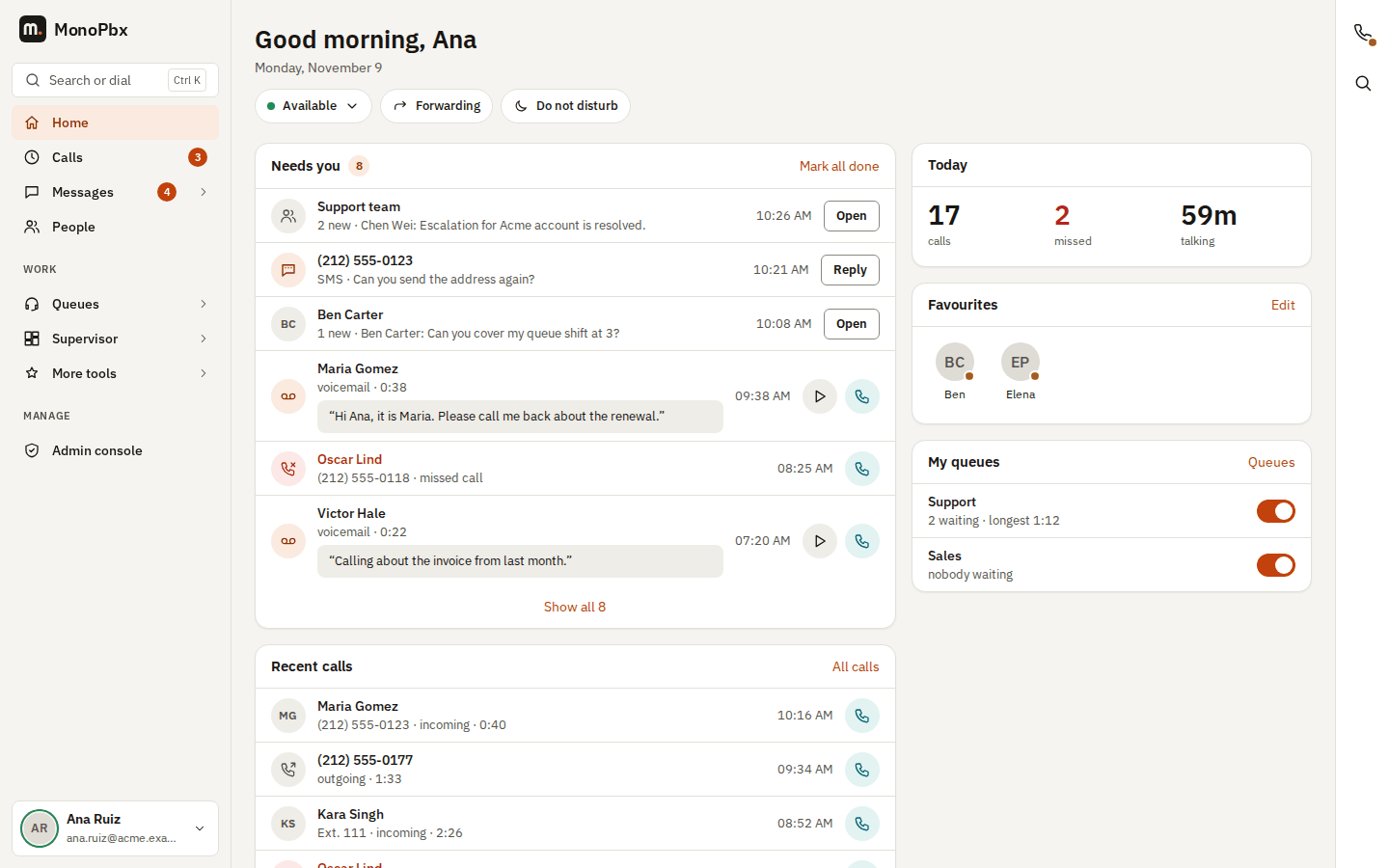
Status, forwarding and Do not disturb
Under the greeting three buttons show and change how you are reached:
- Your status (for example Available): opens My status, where you choose a status and how long it lasts. The dot is green only when you are available.
- Forwarding: opens your forwarding rules.
- Do not disturb: one click turns it on, another click back to available.
Needs you
One list of what is waiting for you, newest first. Each row has one main button:
| Row | What it shows | Button |
|---|---|---|
| Missed call | The caller, their number and how often they called since you last looked ("called 2 times") | Call back (green) |
| Voicemail | The caller, the length and the first line of the transcript when there is one | Play, and Call back |
| Team chat | The chat with unread messages, how many are new and the last message | Open |
| Customer message | An SMS, WhatsApp, live chat or other channel conversation assigned to you with unread messages | Reply |
Mark all done empties the list: your missed calls count as seen (the number next to Calls in the sidebar goes away too), and the voicemail and messages that were there are hidden from Home. They stay unread in Calls and Messages. New items appear again as they arrive.
When nothing is waiting, Home says You're all caught up.
Playing a new voicemail from Home marks it as heard, as on the Calls page.
Today
Your calls since midnight (your browser's day): how many, how many you missed (in red only when there are some) and how long you talked.
Favourites
The colleagues you starred in People, with their presence dot (green: available; on a call, Do not disturb and away have their own calm colours, never red). Click a face to call that colleague with the browser phone. Edit opens People, where you add or remove the star.
My queues
Shown only when you are an agent of a call queue. Each queue shows the callers waiting and the longest wait. The switch logs you in or out of that queue; Queues opens the full agent panel.
Recent calls
Your last five calls with Call back. All calls opens Calls.
On a phone
On a phone Home shows the same cards in one column: Needs you, Today, Recent calls, then Favourites and My queues. The bar at the bottom has Home, Calls, Messages, People and Keypad.
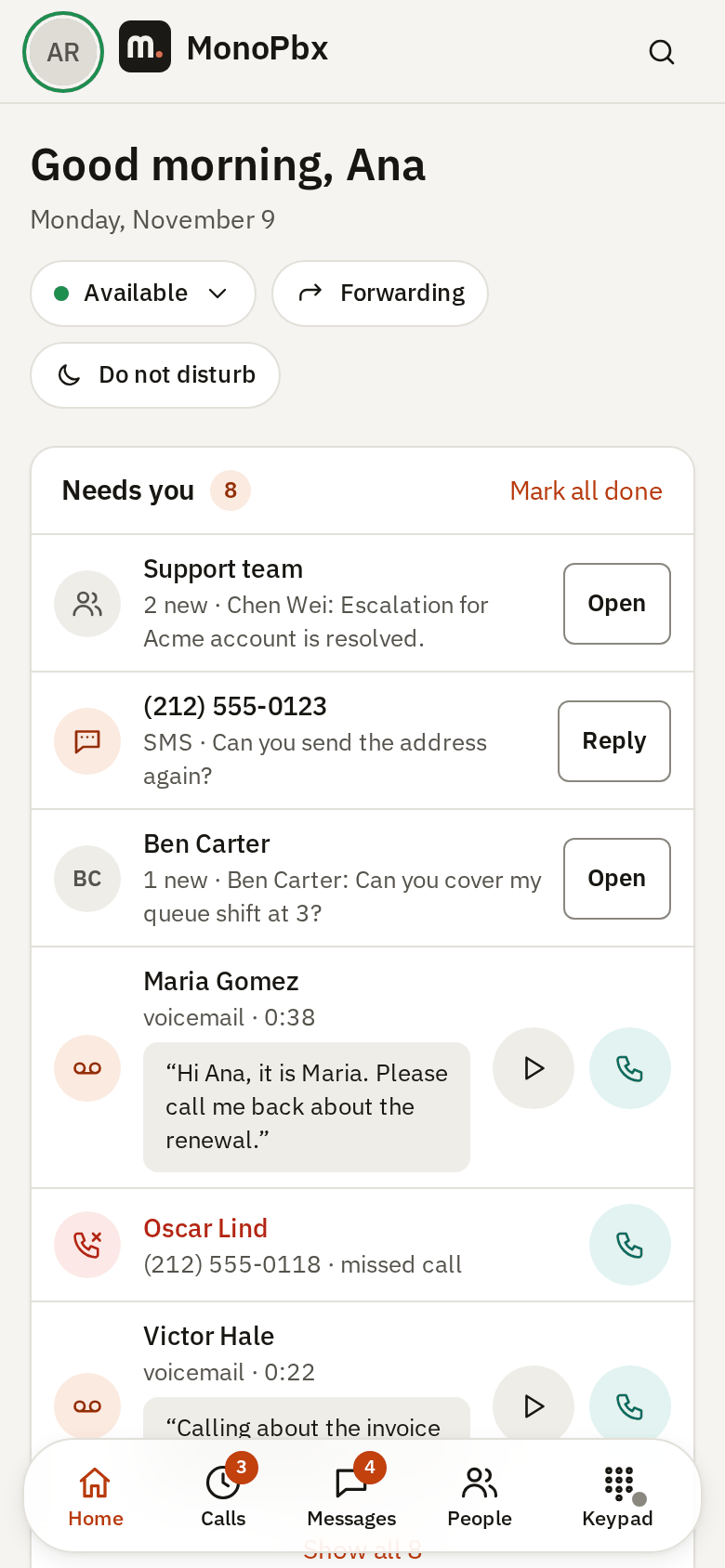
The page refreshes by itself every minute while it is open.