Feature codes
Feature codes are short numbers you dial from any phone to use a PBX function. They start with the company's feature-code prefix, * by default. Your administrator can change every code, so the table shows the defaults. The browser phone reads your company's real codes.
| Dial | What it does |
|---|---|
*00 to *09 | Park the call you are on at slot 0 to 9. Transfer the call to this code. |
*10 to *19 | Take the oldest call parked at slot 0 to 9. Add the extension that parked it (*10101) to take that extension's oldest call. |
*20*102 | Pick up the call that is ringing extension 102. |
*20* | Group pickup: the call that has been ringing longest among your department's extensions. |
*9102 | Intercom to extension 102: a two-way call that the phone answers by itself, unless its user turned that off. |
*61 / *60 | Do not disturb on / off. |
*85 | Call pull: take your answered call over from your other device. See Call pull. |
*77*101 / *77 | Hot desking on a shared phone: log extension 101 in (the PBX asks for the hot-desk PIN), or log the phone off. |
*86 | Check my voicemail. Dial it on your own phone. The PBX opens your mailbox and asks for the PIN if one is set. |
*87 | Check another mailbox: asks for the extension number, then its PIN. |
*22 | Test call: the PBX answers, hangs up and calls the same phone back with a short music test. |
*62 / *63 | Queue agents: log in / out of every queue you belong to. |
*62*601 / *63*601 | Log in / out of queue 601 only. |
*35, *36, *37, *38 | Force your office hours open, closed, on break, or back to the weekly schedule. Needs permission to control calls of that schedule. |
Details worth knowing
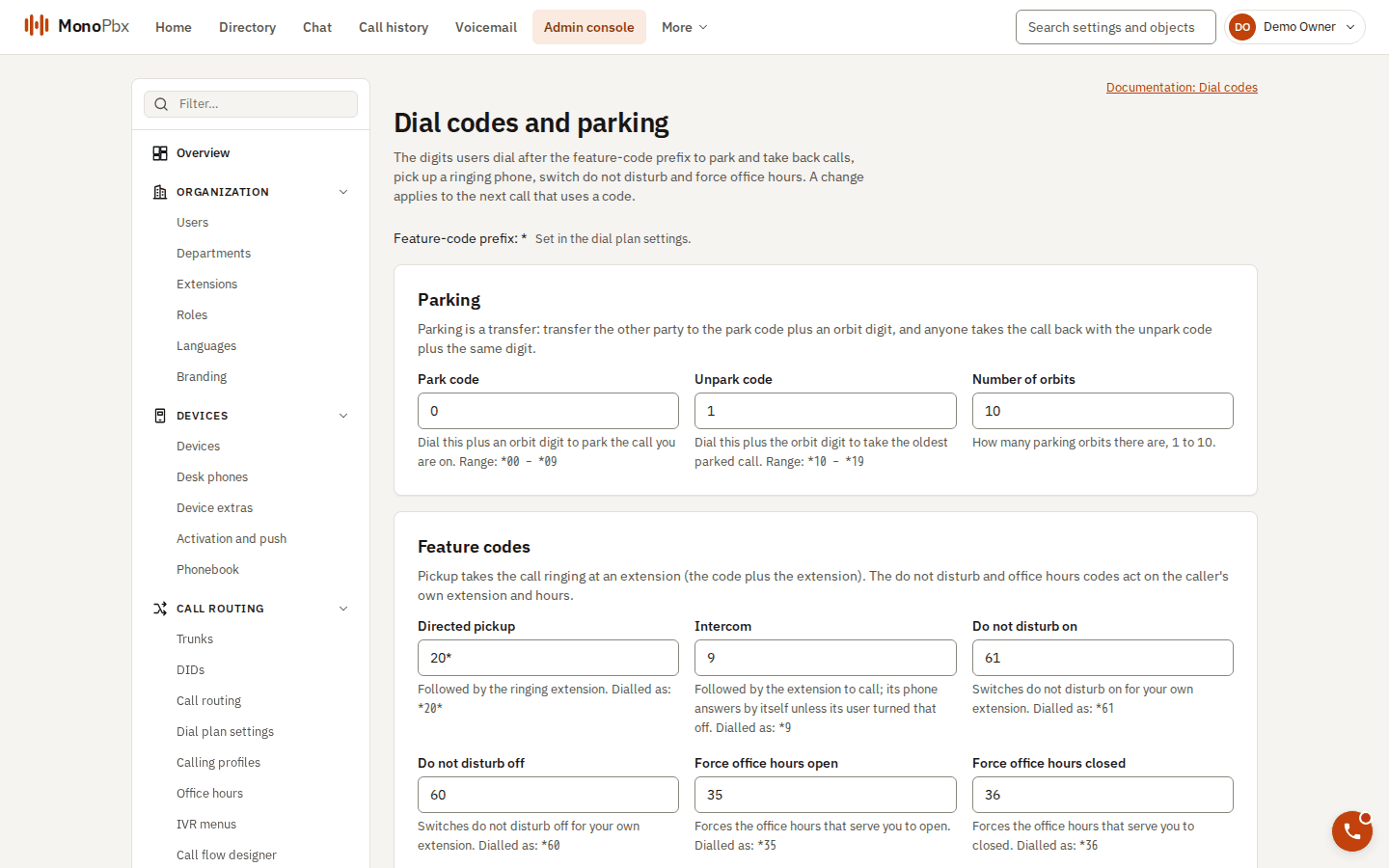
Where an administrator sets the codes in the console.
Parking. Parking is a transfer. Transfer the other party to the park code. The caller hears music on hold and you are released. Anyone can take the call from the slot. After a timeout (180 seconds by default) the call rings the extension that parked it again. If nobody answers there, it tries the fallback extension, and then waits in its slot again. See Transfer, park and pickup.
Pickup. You cannot pick up a call to your own extension. If the company limited pickup to departments, picking up outside your department is refused.
Do not disturb. *61 switches your status to Do not disturb, and *60 returns to Available. *60 changes nothing if your status is something else, such as Lunch. The status menu in the web client does the same. See Statuses and forwarding.
Voicemail. *86 opens the mailbox of the extension your phone is registered as. A mailbox without a PIN opens only from its own extension, so that the person can choose a PIN. Wrong PINs are counted and locked like at any voicemail prompt. See Voicemail.
Test call. *22 needs only the phone's registration. It is how the MonoPhone app sends a test call from Settings, Call readiness. One test call per device every 10 seconds. It is refused in Do not disturb.
Intercom privacy. In Settings, Preferences you can turn off auto-answer for intercom calls to your extension, so that they ring like any call.
Keypad tones and hold
- Keypad (DTMF). The keypad in the dock sends touch tones for voice menus and bank lines. They work through trunks that use out-of-band tones (RFC 4733) and with phones that only send in-band tones, because the PBX converts between them. Tones do not go through while a call is on hold. See Browser phone.
- Hold. The other party hears music on hold. The prompt library holds the music, see Voicemail and prompts.
When a code does not work
Codes answer with a normal phone status, not an error page:
| You hear or see | Meaning |
|---|---|
Not found (404) | The code does not exist at your company, there is nothing parked or ringing, or the PBX has no media service for park and voicemail. |
Forbidden (403) | You may not do that: your own extension for pickup, or no permission for the office-hours override. |
Busy (486) | The park slot is full (32 calls at most), or you dialled a test call twice within 10 seconds. |
The administrator edits the codes in the console. See Call features setup.