Reports
Admin, Reports shows how your company handles calls. You need the reports:read permission; department-scoped roles see only their departments.
Available reports
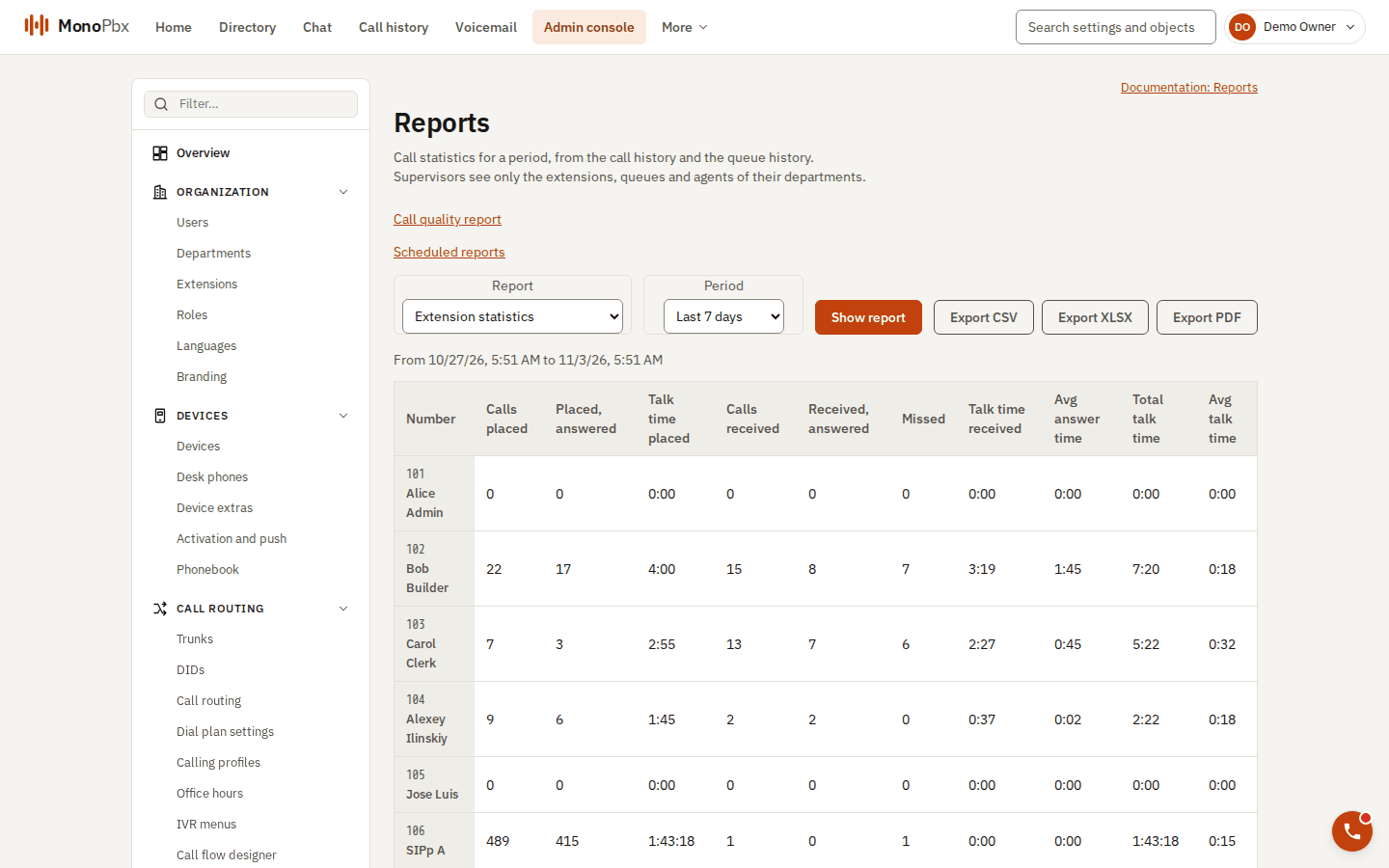
The Reports page showing extension statistics for the last 7 days.
| Report | One row per | Shows |
|---|---|---|
| Extensions | user extension | Calls placed and received, talk time, average answer time. |
| Queues | queue | Offered, answered, abandoned and overflowed callers, waiting time, talk time. |
| Agents | queue agent | Login time and calls answered. |
| Ring groups | ring group | Offered, answered, missed calls and what each member answered. |
| Service level | queue | Share of callers answered within the queue's target (20 seconds by default). |
| Abandoned and callbacks | queue | Abandoned calls, callbacks requested, completed and given up. |
| Trunks | trunk | Calls, directions, talk time and the peak number of simultaneous calls. |
| Call quality | period | Audio quality such as MOS, jitter and packet loss. |
Every extension and queue you may see is listed, including those without calls (a row of zeros).
Period and export
Choose a period of up to 366 days; the default is the last 7 days. The end of the period is exclusive. Each report can be exported as CSV, XLSX or PDF, with a final Total row.
How numbers are counted
- A call counts in the period in which it started.
- A call to a ring group, queue or IVR counts for the person who answered it; a call nobody answered belongs to no extension.
- Queue rates are shares of the callers who left the queue, never above 100%.
- The Total row of service level is the share over all callers, not an average of the queues' rates.
The reports are read from the call history; see Activity and history for the call log.