Legal hold
A legal hold keeps everything about a case, for as long as the case lasts. While a hold is active, nothing it covers is deleted by retention, and requests to erase the data of a person it covers are deferred.
Where
Admin > Legal holds (/admin/legal-holds). You need privacy:export to see the holds and privacy:erase to place or release one. The built-in Owner role has both.
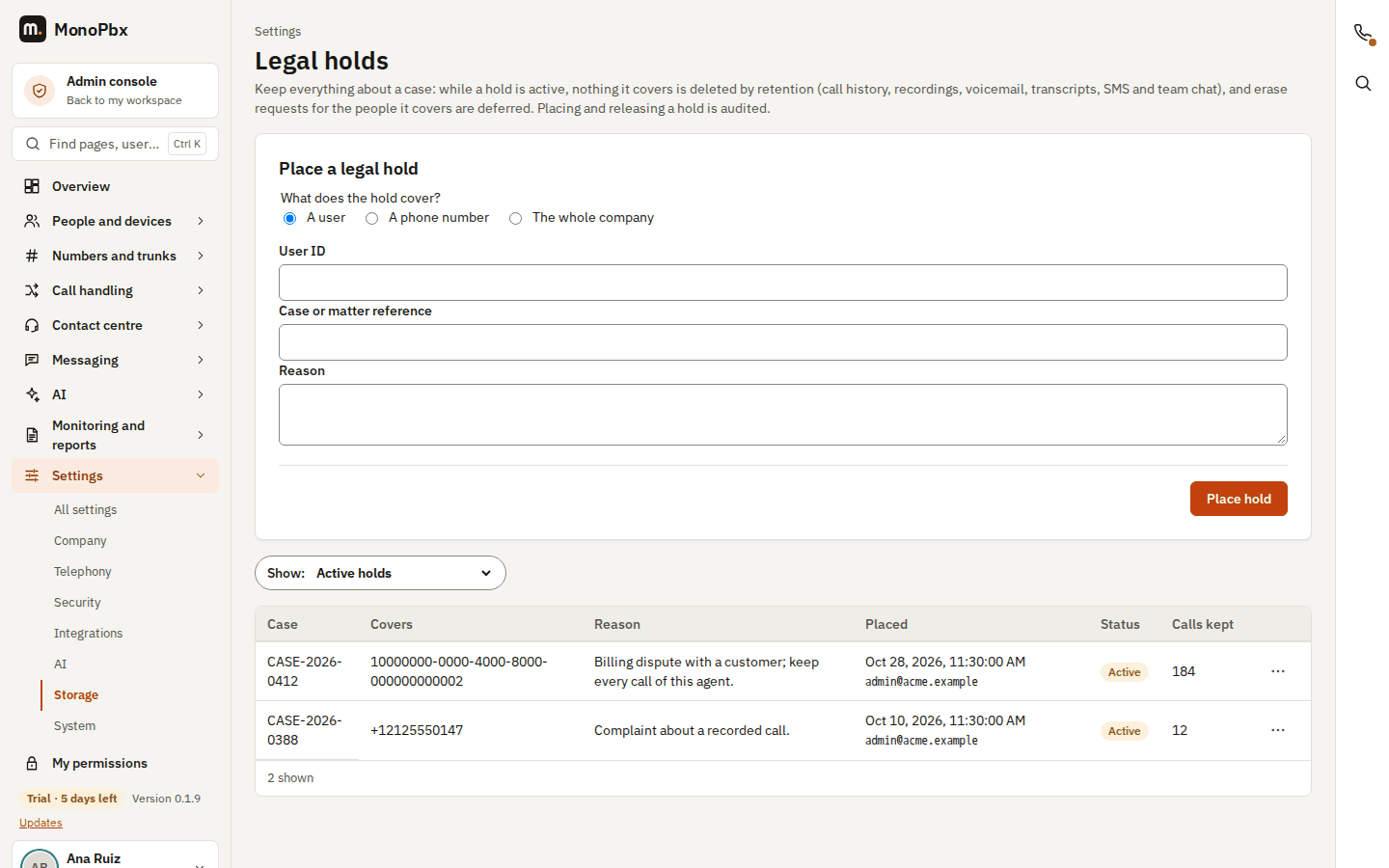
What a hold covers
You place a hold on one of these:
| Target | What is kept |
|---|---|
| A user | The user's calls, recordings, voicemail (the user's mailboxes and messages the user left), transcripts, SMS the user sent and the chats the user is in |
| A phone number | Calls, recordings, voicemail and SMS from or to the number (for example a customer or a caller) |
| The whole company | Everything your company stores |
For every target, the hold keeps:
- Call history. The calls are copied to a separate hold store when you place the hold and again every few hours, so the normal call history retention cannot remove them. The list shows how many calls each hold keeps.
- Recordings. Recordings with a held user or number are not removed when their retention ends.
- Voicemail. Messages are not removed when the mailbox retention ends. A message its owner deleted stays hidden and is kept.
- Transcripts. Transcripts stay with their recording or message, and the saved captions of a held call stay too.
- SMS. Messages are not removed by the SMS retention.
- Team chat. Chats a held user is in, and the chat archives of a company with an active hold, are not removed.
- Data-subject erase. A real erase of a held person is not carried out (see below).
A hold keeps data; it never hides it from the people who can already see it, and it does not stop new calls or messages.
Place a hold
- Open Admin > Legal holds.
- Under What does the hold cover?, choose A user, A phone number or The whole company.
- Enter the user ID, or the number in international format such as
+15551234567. - Enter the Case or matter reference (up to 100 characters) and the Reason (up to 500 characters).
- Select Place hold.
One case holds a target once. Several cases may hold the same target; the data is kept until the last of them is released.
Release a hold
- In the list of holds, open the ... menu on the row and choose Release hold.
- Optionally say why (for example "Case settled").
- Select Release hold.
From then on, what the hold kept follows the normal retention again: data older than its retention period is removed at the next retention run. The copies of the call history in the hold store are deleted. The hold stays in the list as released, with who released it and when. The list shows the active holds; change the Show filter to All holds, including released to see the released ones too. On a phone each hold is a card.
Holds and erase requests
On Admin > Data requests, a person covered by an active hold is shown with the case references when you count what is kept. If you then erase:
- nothing is erased, and every store reports what it keeps;
- the request appears in the request log with the status On hold;
- once the hold is released, send the same erase request again.
Audit
Placing and releasing a hold are written to the audit log (legal_hold.placed, legal_hold.released) with the case reference and the target type. A deferred erase is written as privacy.subject_erase_deferred. Phone numbers are never written to the audit log.
API
| Action | Request |
|---|---|
| List holds | GET /api/v1/legal-holds (filter=active:eq:true for active holds only) |
| Place a hold | POST /api/v1/legal-holds with scope (company, user, number), user_id or number, case_ref, reason |
| Read a hold | GET /api/v1/legal-holds/{id} |
| Release a hold | POST /api/v1/legal-holds/{id}/release with an optional note |
The answer of POST /api/v1/privacy/data-subjects/erase has on_hold and legal_holds for a held person.
Related
- Call recording: a single recording can also be put on hold from the recording itself.
- Chat retention and archives: chat rooms and people can also be held from team chat.