Desk phone provisioning
A desk phone fetches its configuration file over HTTP(S) when it boots. MonoPbx renders that file for each phone from an editable template of its vendor, with the phone's own SIP account, its BLF and speed-dial keys and the message-waiting subscription.
The page is Admin, Desk phones. The phone must exist as a device with a MAC address on an extension (see Extensions and devices). If no device has a MAC yet, the page asks you to add one under Devices.
Supported phones
| Vendor | Models | File the phone asks for |
|---|---|---|
| Yealink | T4x, T5x | <url><mac>.cfg |
| Fanvil | X-series | <url><mac>.cfg |
| Snom | D3xx, D7xx | a file name that ends in the MAC |
| Grandstream | GXP21xx | cfg<mac>.xml |
:::caution Verify on your phones The built-in templates were written from the vendors' guides, without a phone in the loop. If a key type or parameter does not suit your model, fix the line under Admin, Desk phones, Templates. The next download uses it. :::
Provision a phone
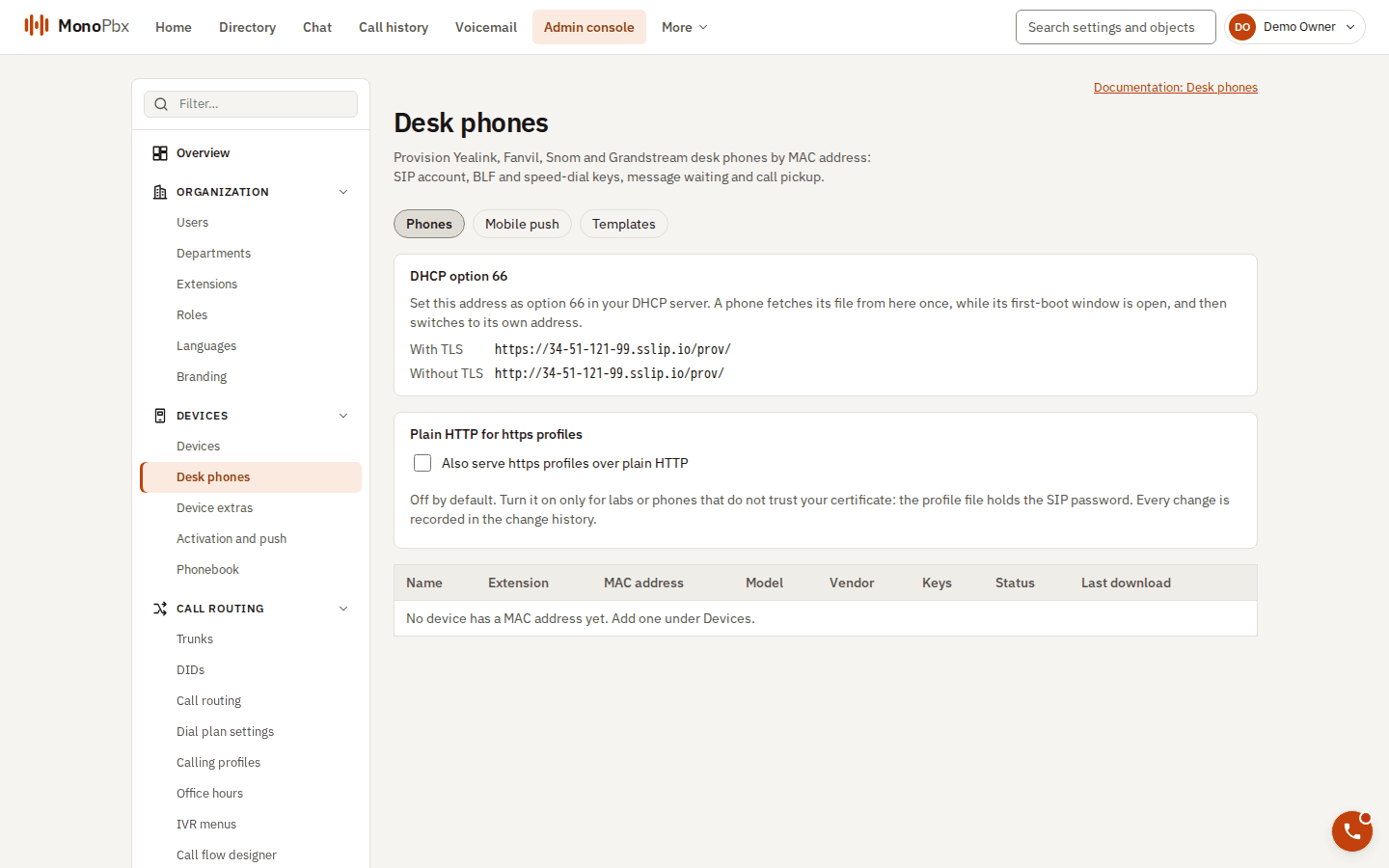
Desk phones: the provisioning address for DHCP option 66 and the list of provisioned phones.
- Open Admin, Desk phones and provision the device. The console shows the phone address (a URL with a long random token) and, if you asked for it, a digest login. They are shown once. Regenerating gives new ones and new SIP credentials.
- Get the address to the phone. Choose one door:
| Door | When to use it |
|---|---|
| DHCP option 66 | Phones in the office. Set the address shown by the console as option 66 in your DHCP server. It works only while a first-boot window is open for that device (one hour by default, 24 hours at most). The first request from that MAC gets its file and closes the window. Open it just before the phone boots, on a network you trust. |
| Phone's own address | Type or paste the per-device address into the phone's web page, or use the vendor's redirection service. Leave the first-boot window closed. |
| Signed link | A remote phone, or one that cannot use option 66. Press Signed link in the phone's dialog and choose its lifetime (1 to 240 minutes). The link works once, belongs to one device and MAC, and can be revoked. At most 5 unused links per phone. |
- Reboot the phone. After the first download it uses its own address from then on.
Keys
Each phone has a layout of function keys. Add keys on the phone's dialog:
| Kind | Value | What the key does |
|---|---|---|
| BLF | extension number | A lamp for the extension. Pressing it picks up that extension's ringing call. |
| Speed dial | number | Dials the number. |
| Line | none | An extra line key of the account. |
| Shared parking | orbit digit | Picks up the call parked at that orbit. |
| Queue login / logout | queue number, or none for all queues | Logs the agent in or out. |
| Dial code | for example *61 | Dials the code, with the company's prefix added when needed. |
The last four use the company's current dial codes when the file is built. A changed code reaches the phones at their next provisioning. A key for a queue or orbit that does not exist is reported as a warning when you save the layout.
Security
- A MAC address is never enough to download a file. The token in the address, an open first-boot window or a signed link is required, and the MAC in the file name must belong to that token.
- A file holds only that one phone's credentials.
- Use https. Plain HTTP carries the SIP password unencrypted. The setting "Also serve https profiles over plain HTTP" exists for labs and phones that do not trust your certificate. Leave it off in production.
- The optional digest login on the phone's own address is a second factor. Use it together with https.
- Every download and every refusal that names a real device is audited.
Diagnostics
Press Diagnostics on a phone.
- The per-MAC log shows each request:
served, or the reason it was refused (unknown token, MAC mismatch, first-boot window closed or already used, device revoked, owner disabled, expired or used signed link, wrong digest login). The phone itself only sees an empty404, so this log is where you look. It keeps 30 days and at most 200 entries per MAC. - The certificate check looks at the chain this server presents at the phone's address and judges it for the phone model. Typical findings: the address uses an IP instead of a name, the certificate is self-signed, the intermediate certificate is missing (phones never fetch it), the certificate expired or is about to, or the model may not trust the root. Each finding says how to fix it. Request a certificate under Certificates and HTTPS.
Common problems
- The phone gets 404 at boot. Open Diagnostics and read the last log code. Most often the first-boot window was closed or used, or the phone has another device's address.
- TLS errors on the phone. Run the certificate check. Use a name, not an IP, in the address, and upload the full chain.
- A refused guess limit. Too many unknown requests from one address are answered
429for the rest of the minute.