Working with lists in the console
Every list page of the admin console follows one pattern, so what you learn on Users works on Teams, Extensions, Devices, Sites, Numbers, Trunks, Emergency numbers, Ring groups, Conference rooms, the inbound and outbound rules, Office hours, Holidays, Music on hold and prompts and the rest.
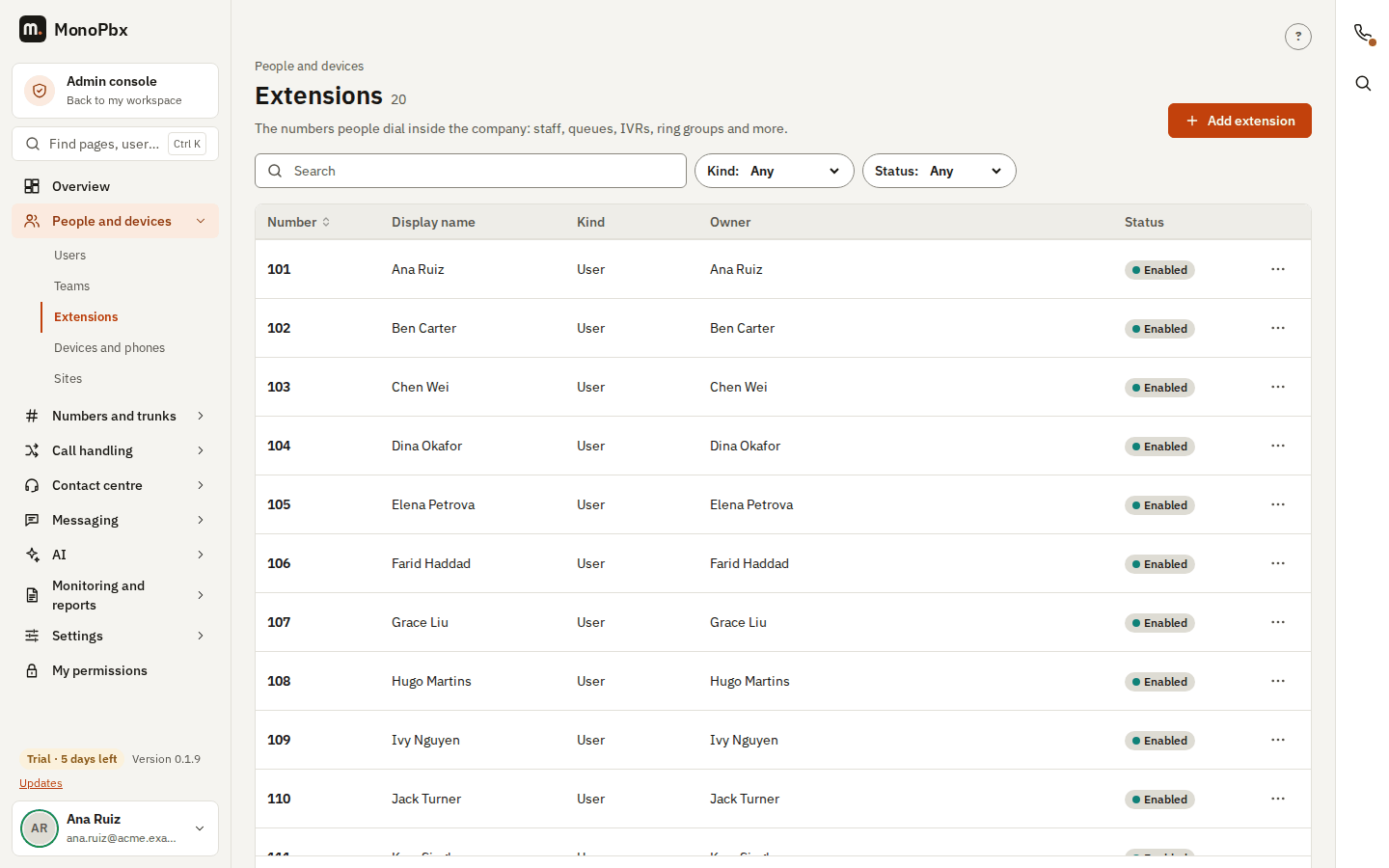
The parts of a list page
- Header. The section ("People and devices"), the page title with the number of items (
12, or50+while more pages are left), one sentence about the page and, at the right, the main action (for example Add extension). A second, quieter action such as Refresh or Start from sits beside it. On a phone the main action fills the row under the title. The round ? at the top right of the page opens the guide for that page in a new tab. - Search and filters. Type in the search box and the list follows as you type; there is no Search button. The chips (Status, Type, Kind and so on) narrow the list further. A chip that holds a value is highlighted and Clear filters resets them all. The search and the filters are kept in the address of the page, so you can bookmark a filtered list, share it, or come back to it with the Back button.
- Table. The first column is the name and opens the item. Headings with an arrow (for example Number, Name) sort the list; click again to reverse. Status labels have a dot: green means available or up, grey off, and amber or red a warning or a problem. People come before their numbers ("Ana Ruiz · Ext. 101"), and names, extensions and phone numbers are written in the normal font; only SIP user names and MAC addresses use a fixed-width font.
- Row menu. The ... button at the end of a row opens the other actions: Edit, Delete, History and the page's own actions. Open it with the mouse, or with Enter, Space or the Down arrow key; move with the arrow keys and close with Escape. Clicking a row (outside its links) opens the item, or its edit form, where there is one.
- More rows. The footer says how many rows are shown; Show more loads the next page. While a search or a filter is set the page loads the remaining pages first, so the result covers the whole list.
- Empty and error states. An empty list says what it is for and offers the one action that fills it; a filter that matches nothing says No matches and suggests clearing it. A list that cannot be loaded says why in one line and offers Try again, or only the reason when you may not read it.
- Small screens. Below 640 pixels wide the table becomes a stack of cards (name, a quiet line, a status label and the ... menu), with no sideways scrolling. Below 600 pixels the filters that do not fit next to the search box open from More filters as a sheet at the bottom of the screen; tap Done (or outside the sheet) to close it.
- Confirmations. After you save, create, delete or switch something, a short message appears at the bottom left (Saved, Integration switched off) and goes away after a few seconds. When the change can be reverted, the message has an Undo button (users, integrations switched on or off, a removed text override in the language strings).
Call flows
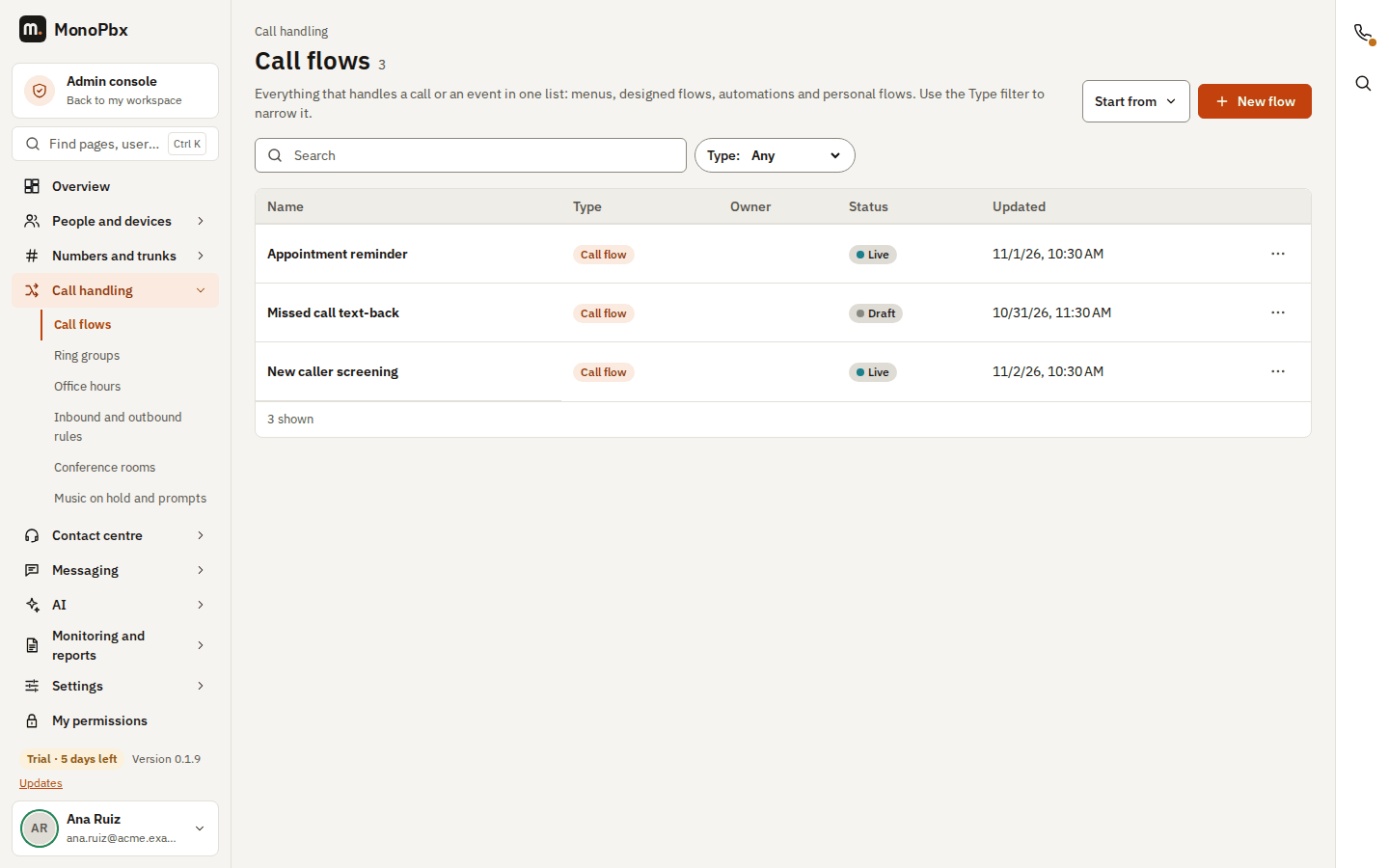
Call handling, Call flows (/admin/flows) is one list of everything that handles a call or an event: IVR menus, designed call flows, automations and the personal automations people made for themselves. The Type filter narrows it. A row opens the editor of its type (the menu form, the designer, or the personal automations page). New flow starts a designed flow in the designer; Start from offers a menu (IVR) or a template. The editors keep their own addresses (/admin/ivr, /admin/call-flows, /admin/flow-templates, /admin/personal-flows) and stay in the sidebar under Call flows.
Security, account and integration lists
The lists of Security (sessions, account lockouts, API keys, SIP edge bans), Single sign-on and its group mappings, Directory sync (sources and runs), Support access, Payment links, Integration hooks (endpoints and deliveries), Integration leads, Google Chat users, Twilio console, Jira call logging, BI feed, Ad tracking reports, AI quality and AI analytics tables, Ask your PBX breakdowns, Data subject requests, License usage and licences, Upgrades snapshots, Login clients of a user, My permissions, the Fax history, My sessions and Recent sign-ins on the account page, the Partner portal companies, and the Partner marketplace submissions use the same table. Their row actions (end a session, revoke a key, lift a ban, approve a request, roll back, forget a client) are in the ... menu; the Search and Status or State filters sit above the table. Rows that hold inputs (the opening hours of the AI receptionist, the queue scorecard pickers, the extension and bundle pickers of eSIM and SIM lists) and the expanding intent drill-down of AI analytics keep their own layout.
Which pages use it
People and devices: Users, Teams, Extensions, Devices and phones, Desk phones, Push health of mobile apps, Sites, Branch survival, TLS failures. Numbers and trunks: Numbers, Trunks, Emergency numbers, Fax lines, Number porting, Subscribers. Call handling: Call flows, Ring groups, Conference rooms, Inbound and outbound rules, Caller rules, Blocklist, Holiday messages, Office hours, Holiday calendars, Music on hold and prompts, Personal flows, Calling profiles, Door phones, Hotel, Hot desking, Park slots, Shared voicemail, Toll-fraud guard. People and devices also: Phonebook feeds, Office survival, and every section of Device extras (discovered phones, feeds, firmware, upgrade jobs, DECT bases, SIP gateways). System: Companies and Company templates. Numbers and trunks also: the Diameter peers, APN profiles, eSIM orders and SIMs of Mobile network. Pages that mix a list with a form (Calling profiles, Door phones, Hotel, Hot desking, Shared voicemail, Phonebook feeds) open the form in a dialog; settings pages (Dial plan, Toll-fraud guard, Office survival) use the Save bar. Shared assistants (profiles), campaign compliance, the audience people list (with selection and the bulk bar), AI usage and SMS usage and metering by sender use the same table too. The remaining lists use it as well: the administrators of a team or a site and the members of a site, trunk approvals, outbound caller names and their lookup cache, DECT handsets, blocked users of the toll-fraud guard, call-cost codes and spending limits, SIP trace sessions and calls, geo exemptions, failed transcriptions, backup copies, music-on-hold playlists, dashboards for observability, recording policies and consent rules, the VPN clients, the people and live calls of a campaign and its test results, a voice campaign's contacts (the name and number turn into fields while one is edited) and the change history of an item. The actions of these rows are in the ... menu. Grids whose cells are inputs or a heat map (the staffing forecast, the gateway ports, the dial-plan rules, the cost-centre and storage-quota tables, the metering table with its totals row), import previews and expanding rows (alerts, SIP events) keep their own layout under the same header and states.
Last lists moved to the table (sweep 3)
The Held devices and Locked voicemail boxes of Security, the allow list and the history of Blocked IPs, the integrations, the log and the dead jobs of CRM connections, the IVR menus and the prompt library, the roles and department memberships on a user's page, the desk phones and apps on an extension's page, My devices, the strings of a language (with a search box and the Namespace and Customized only filters), the calibration sessions of Quality reviews, the live participants of a conference room (mute and remove are in the ... menu) and the certificate revocation queue use the same table. Tables that stay as they are: grids with inputs in the cells, import previews, the totals of reports and metering, the coverage and survey result reports, the field-by-field change lists (what changed in a saved item), the SIP bind status of an SMS provider, the provisioning request log of desk phones, the variable reference of phone templates and the support escalation ladder.