Call recording
MonoPbx records calls as stereo files (caller on the left, callee on the right), encrypted at rest. Each file belongs to one company and only that company can open it.
Who gets recorded
Recording is set by policies, one per extension, queue or trunk, under Admin, Recording:
| Policy | Records |
|---|---|
off | Nothing for this target. |
all | Every call of the extension, queue or trunk. |
external | Only calls where one party is outside the PBX. |
A call is recorded when any policy that applies to it asks for it. A policy set to off does not cancel another party's policy.
Consent announcements
You can play an announcement before recording starts, per number (DID), trunk or queue. The announcement is at most 7 seconds long, or the built-in beep. You can also let the caller press a key during it to decline: the call then continues unrecorded. If the announcement cannot be played, the call is not recorded.
Start, stop and pause during a call
Administrators with call control can start, stop or pause a recording on a live call. If you switch on Users can control recording, a person can start, pause and resume recording on their own calls. A recording that a policy requires can be paused but not stopped. Pause is meant for card numbers: the paused part is missing from the file.
Retention, legal hold and access
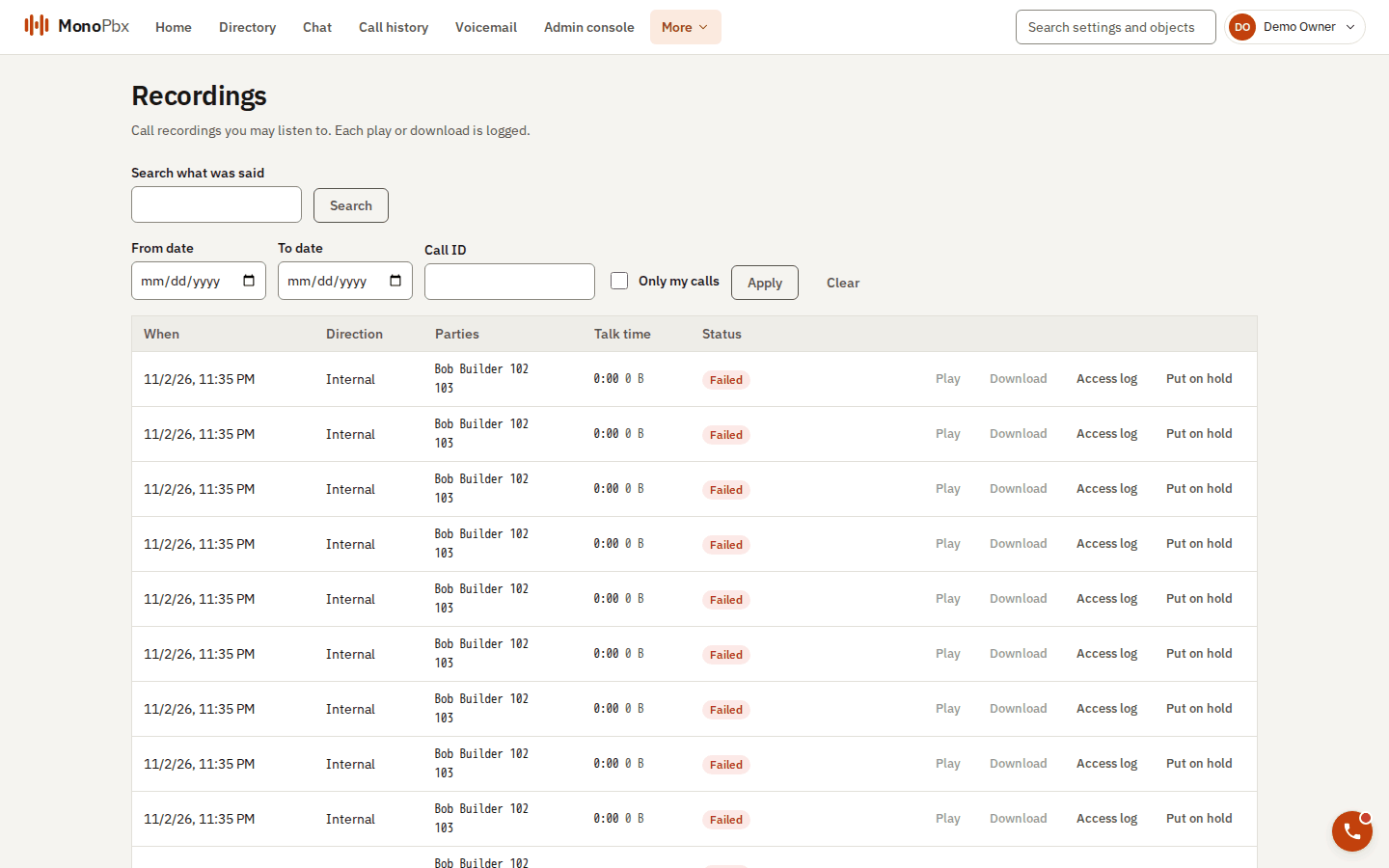
The Recordings page, where every play and download is logged.
- Recordings are kept 90 days by default (1 to 3650). The change applies to recordings started afterwards.
- A recording on legal hold is never deleted until the hold is released.
- Department-scoped roles (Supervisor, Department Admin) see only recordings with a participant in their department.
- Every start, pause, download link and deletion is written to the recording's access log.
See also Users, departments and roles for the permissions, and Activity and history for the audit log.