Call features setup
This page covers the settings behind Feature codes: the dial-code table, park slots, pickup scope and intercom.
Dial codes
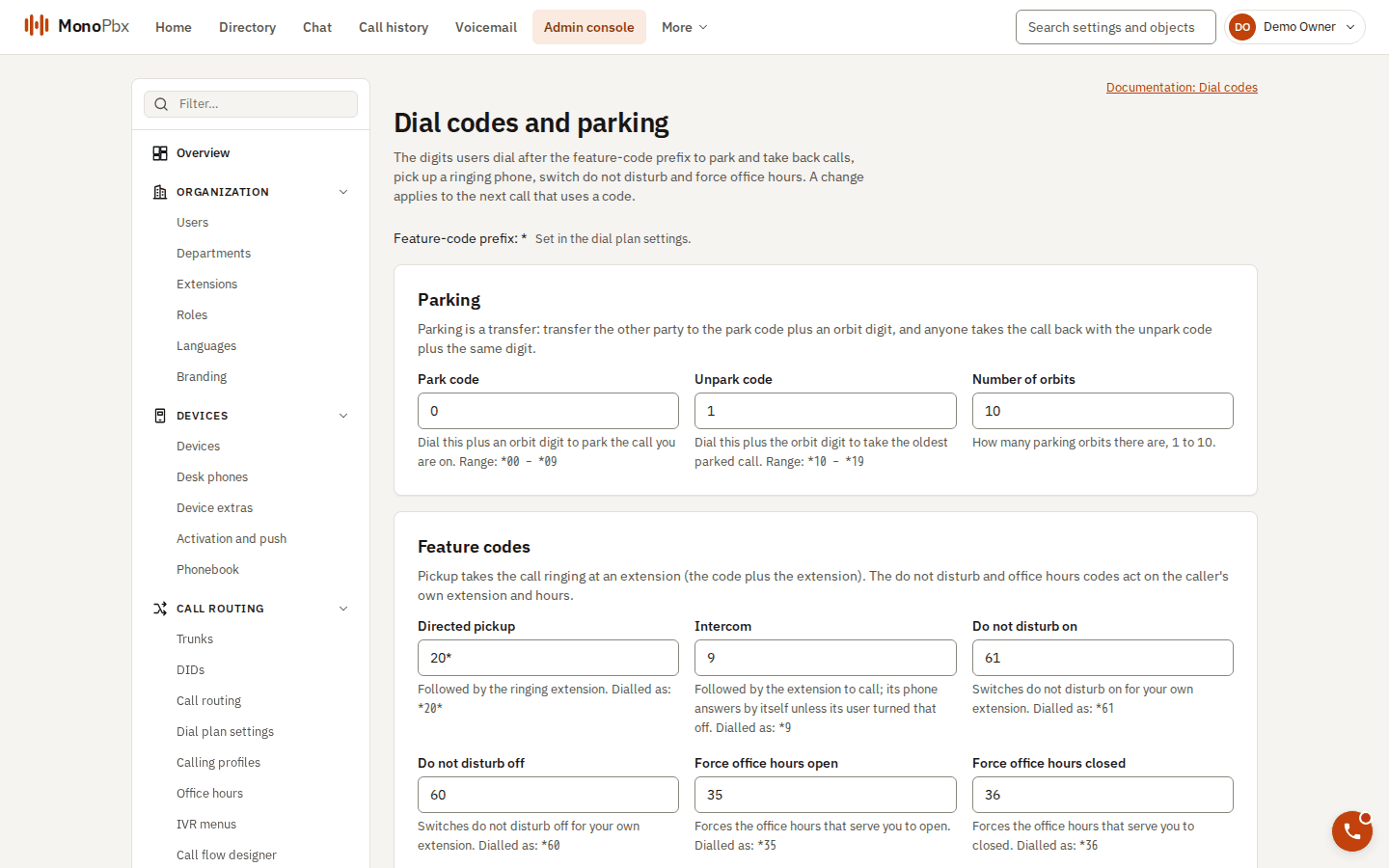
Feature codes and parking settings.
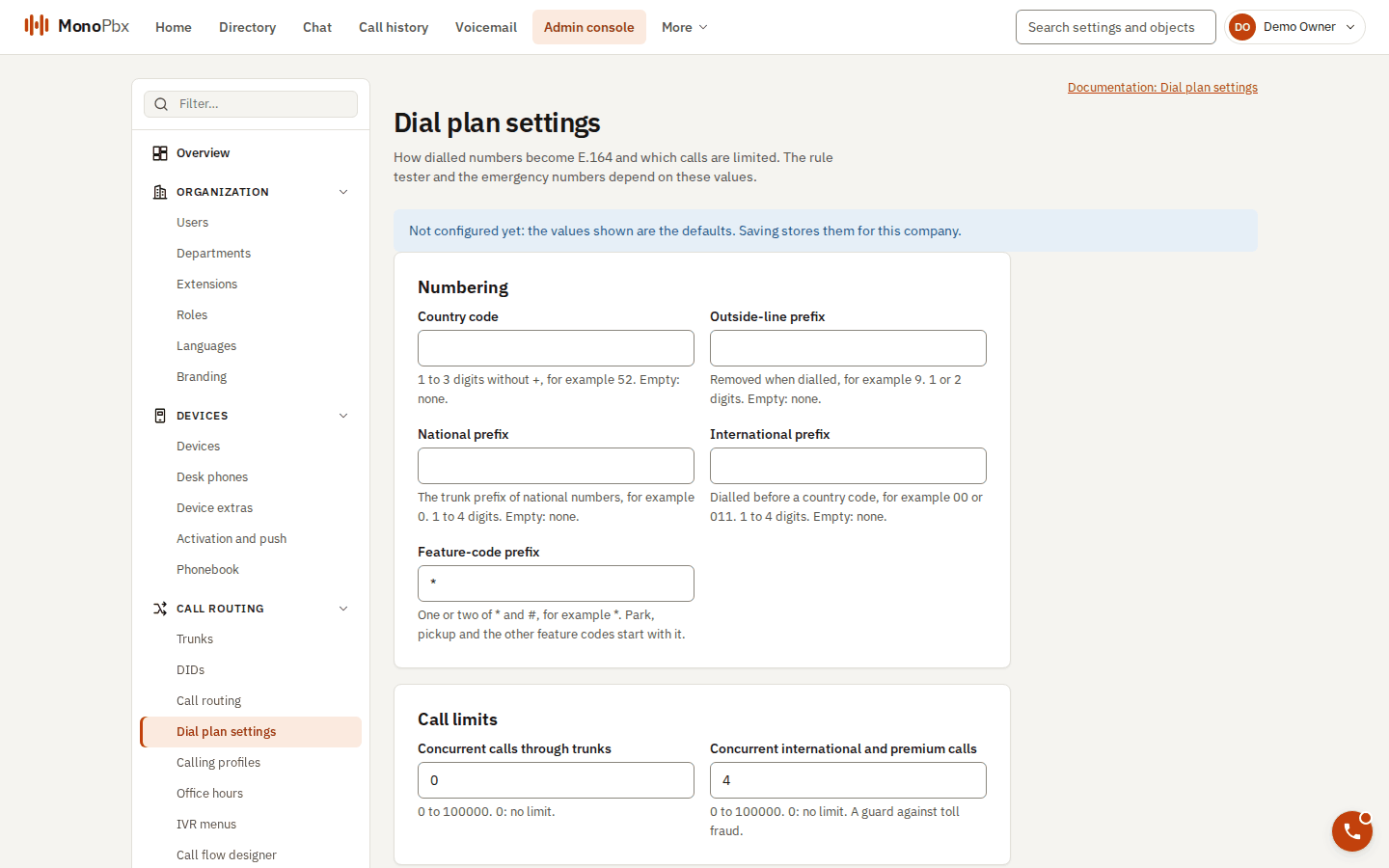
The dial plan settings hold the feature-code prefix.
The table of codes is a company setting. The defaults are in Feature codes. You can change the prefix (* by default), each code, and the number of park orbits (1 to 10). Changing the table needs settings:write and applies from the next call to a code. A field you leave out returns to its default, so an empty body restores everything.
Rules that the console and the API enforce:
- A code has 1 to 6 characters, digits and
*, and begins with a digit. - No code may begin another.
*350next to*35would be ambiguous, so it is refused with the field named. - The orbit codes count with all their digits. Moving the park or unpark base can make orbit codes overlap with other codes such as call pull, and is refused.
- Voicemail uses
*86and*87on purpose, so that intercom*9<ext>stays unambiguous. - Matching is exact:
**35is not a code. - Queue login and logout codes must not clash with the table either.
Park slots
Admin, Park slots lists every slot, how to dial it, the calls waiting in it (who parked, seconds waited) and the timeout. It refreshes itself every few seconds.
| Setting | Meaning |
|---|---|
| Park timeout | After this many seconds (default 180, 10 to 3600, 0 for never) the call rings the extension that parked it. |
| Fallback extension | If the parker does not answer, is busy or has no phone registered, this extension rings. If it fails too, or none is set, the call goes back to its slot and the timeout starts again. |
Pickup scope
Directed pickup (*20*102) can reach the whole company (default) or only the caller's department. Group pickup (*20*) always takes the longest-ringing call among the other extensions of the caller's department. A caller without a department, or alone in it, has no group. Calls waiting in a queue cannot be picked up, because the queue hands them to agents.
Intercom
Intercom (*9<ext>) is an ordinary call routed like a call to the extension, with headers that make common phones answer by themselves. They are sent only to the called extension's own phones, never to trunks, groups or queues. Users can opt out in Settings, Preferences. Test it once on each phone model, because auto-answer depends on the phone.
Agent codes and phone keys
Queue login and logout codes (*62, *63) are configured in the queue settings. The desk phone keys that use them are described in Desk phone provisioning. See also Queues and ring groups.
Paging and shared park
Paging groups and the lamps for park slots are described in Paging and shared park.